The native VPN client
for Linux
Kill switch that survives crashes
State persists to disk and firewall rules hold through crashes and reboots.
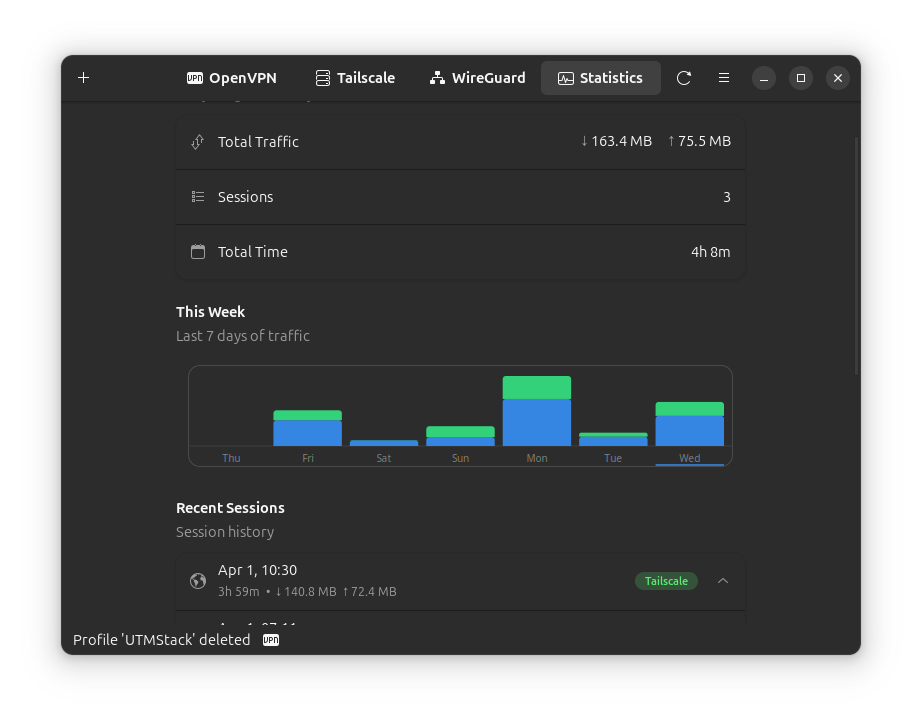
Traffic statistics built in
Real-time bandwidth graphs, session history, and weekly charts per profile.
Native GNOME interface
GTK4 and libadwaita, following the GNOME Human Interface Guidelines.
Three protocols, one app
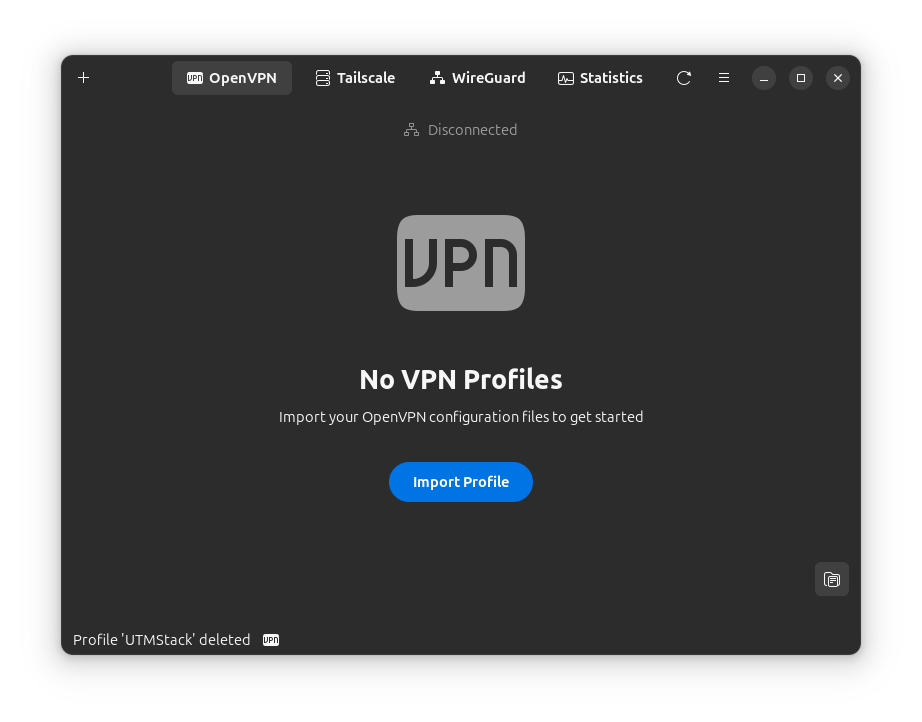
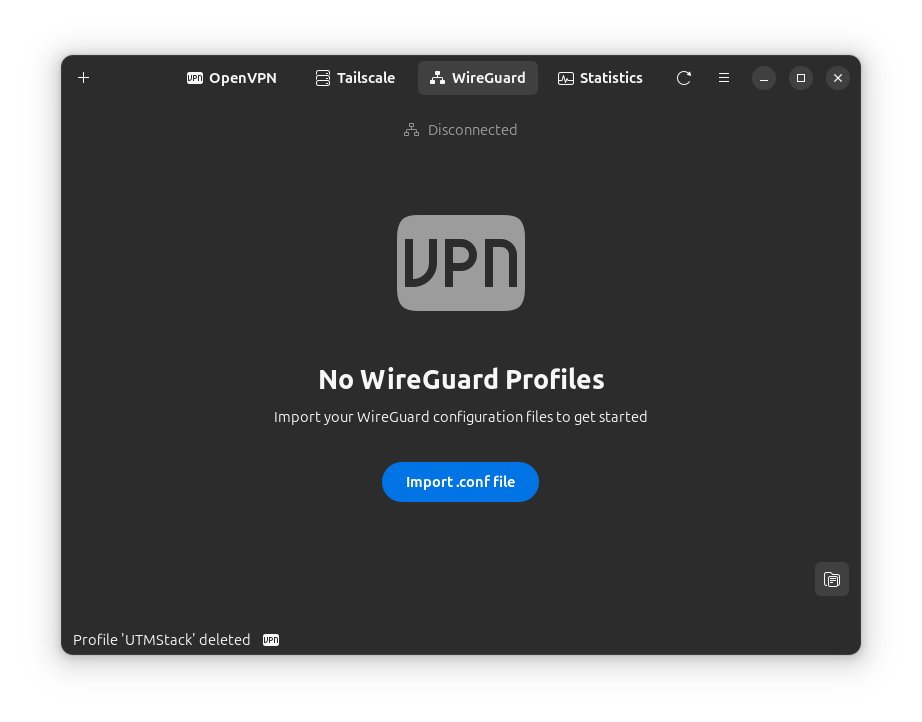
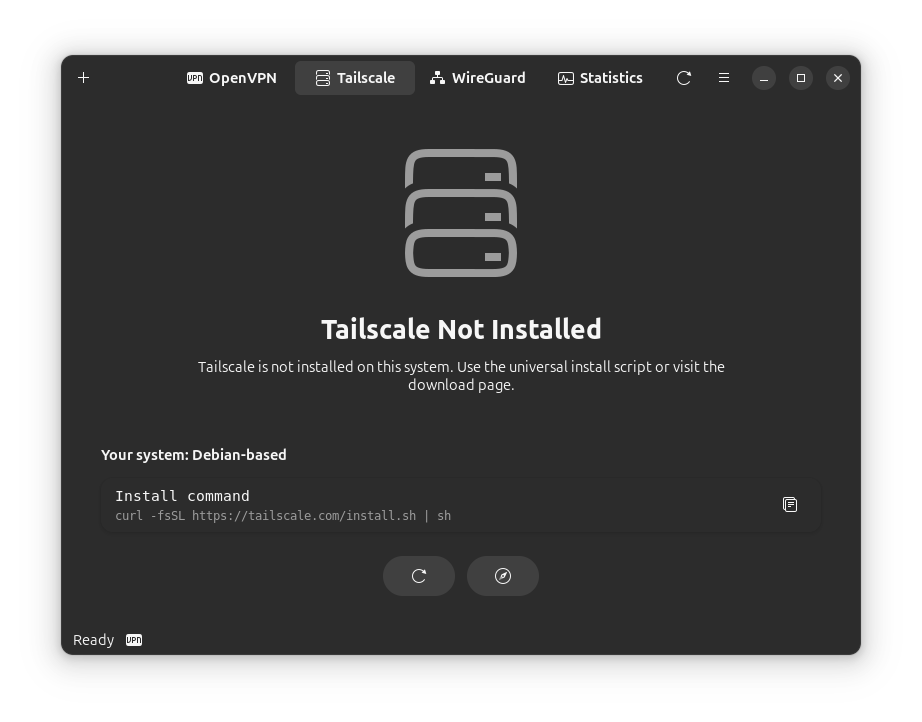
OpenVPN, WireGuard, and Tailscale managed from a single place.
Designed to fail safe
Protection isn't a feature toggle — it's architecture. The GUI runs unprivileged, a hardened daemon handles the network, and every safety net is configured from the UI instead of a config file.
Kill switch
Three modes (Off, Auto, Always) with iptables and nftables backends. State persists to disk and survives crashes and reboots; LAN access control and captive-portal pause are one toggle away.
DNS leak protection
systemd-resolved strict mode with a firewall fallback. Choose Cloudflare, Google, system, or custom DNS, and block DoH/DoT on non-VPN interfaces.
IPv6 leak protection
Four modes (Auto, Allow, Block, Disable) stop IPv6 traffic from slipping around IPv4-only tunnels, with optional WebRTC STUN/TURN blocking.
Evil twin detection
Warns when a known network name appears with a different access point, before you trust a spoofed hotspot.
Privilege separation
The app never runs as root. A separate daemon (vpn-managerd) performs privileged operations over an authenticated local socket — no sudo, no password prompts during use.
Keyring credentials
Credentials live in GNOME Keyring or KWallet via the Secret Service API. The fallback is AES-256-GCM encryption with an owner-only key file — never plain text.
Comfortable by default
The security is the foundation; the everyday experience is the point.
- Network trust rules — auto-connect on public Wi-Fi, disconnect at home or the office
- Auto-reconnect — connection restored automatically when the network drops
- System tray — status at a glance with quick connect and trust actions
- Split tunneling — route specific apps or networks outside the tunnel
- Easy profile import — drag & drop .ovpn files or paste a WireGuard config
- Tailscale exit nodes — pick any node, with a Mullvad server filter
- Taildrop — send files to any Tailscale device straight from the peer list
- LAN gateway — share your Tailscale exit node with other devices on your network
- Tailscale power options — advertise an exit node, Shields Up, and SSH without the CLI
- One active connection — switching protocols cleanly tears down the previous tunnel
Where it stands
A fair comparison with what Linux already gives you.
| Feature | VPN Manager | NetworkManager | CLI tools |
|---|---|---|---|
| Graphical interface | Yes | ~Partial | No |
| Traffic statistics | Yes | No | No |
| Kill switch | Yes | No | ~Partial, manual setup |
| Network trust rules | Yes | No | No |
| Tailscale integration | Yes | No | Yes |
| Multi-protocol | Yes | ~Partial | Yes |
| GNOME native UI | Yes | ~Partial | No |
Full support ~ Partial or manual Not available
From download to connected in three steps
No account, no wizard, no config files. Under two minutes.
Install
Add the APT repository for automatic updates, or grab the .deb/.rpm package.
sudo apt install vpn-manager
Import a profile
Drag & drop your .ovpn file, paste a WireGuard config, or sign in to Tailscale. Credentials go straight to the system keyring.
Connect
One click to connect. Traffic stats work out of the box; the kill switch and DNS protection are one toggle away in Preferences.
Install VPN Manager
Pick your distribution. Commands below always point at the latest release.
# Add the VPN Manager APT repository (one-time setup)
curl -fsSL https://yllada.github.io/vpn-manager/apt/gpg.key | sudo gpg --dearmor -o /usr/share/keyrings/vpn-manager.gpg
echo "deb [signed-by=/usr/share/keyrings/vpn-manager.gpg] https://yllada.github.io/vpn-manager/apt stable main" | sudo tee /etc/apt/sources.list.d/vpn-manager.list

# Install
sudo apt update && sudo apt install vpn-manager
Future updates arrive with a normal apt upgrade. Ubuntu 24.04+, Debian 12+.
# Loading install command…Supported: Ubuntu 24.04+, Debian 12+.
# Loading install command…Supported: Fedora 40+, RHEL 9+.
# Loading install command…Requires sudo pacman -S gtk4 libadwaita.
# Requirements: Go 1.21+, GTK4 4.14+, libadwaita 1.5+

# Clone and build
git clone https://github.com/yllada/vpn-manager.git
cd vpn-manager
go build -o vpn-manager .

# Install the daemon (required)
cd build && sudo ./install-daemon.sh && cd ..

# Install system-wide (optional)
sudo cp vpn-manager /usr/local/bin/
sudo cp assets/vpn-manager.desktop /usr/share/applications/

# Run
./vpn-manager
The vpn-managerd daemon is required — packages install it automatically.
Requirements
GTK4 4.14+ and libadwaita 1.5+ (Ubuntu 24.04+, Debian 12+, Fedora 40+, Arch).
OpenVPN, WireGuard, or Tailscale installed for the protocols you use.
The vpn-managerd daemon ships inside the .deb/.rpm packages and is required for operation.
Questions, answered
What VPN protocols are supported?
OpenVPN — import any .ovpn configuration file via drag & drop, with credentials and OTP support.
WireGuard — import .conf files, managed through wg-quick, with interface stats read from the kernel.
Tailscale — zero-config mesh VPN with exit nodes (including a Mullvad filter), Taildrop file transfer, and advanced options like Shields Up and Tailscale SSH.
Does it work with my VPN provider?
Yes — any provider that hands you an OpenVPN (.ovpn) or WireGuard configuration file works: ProtonVPN, Mullvad, NordVPN, ExpressVPN, Surfshark, Private Internet Access, IVPN, and everyone else.
Download the config file from your provider and import it.
Which Linux distributions are supported?
Officially: Ubuntu 24.04+, Debian 12+, Fedora 40+, and Arch Linux. The real requirement is GTK4 4.14+ and libadwaita 1.5+ — any distro that ships them can build from source.
Does it need root or sudo access?
The app itself runs as a normal user. Privileged operations — network interfaces, firewall rules, the kill switch — are handled by a separate daemon (vpn-managerd) running as a systemd service.
In practice: no sudo, no password prompts during normal use, and a real privilege boundary between the UI and the network stack.
Does the kill switch work if the app crashes?
Yes. Kill switch state is saved to disk, firewall rules persist independently of the app process, and an optional systemd service keeps protection active across reboots. If you ever need out, the tray menu has a one-click disable.
Are my credentials stored securely?
Credentials go to your system keyring (GNOME Keyring or KWallet via the Secret Service API), encrypted at rest. Where no keyring exists, the fallback is AES-256-GCM with a random per-install key stored with owner-only permissions. Nothing is ever written in plain text.
Does it work on desktops other than GNOME?
Yes. It's designed for GNOME but runs on any desktop with GTK4 support — KDE Plasma, XFCE, Cinnamon, and others — and adapts to your system theme.
Is it really free? Any telemetry?
100% free and open source under the MIT license. No telemetry, no analytics, no data collection, no premium tier. The full source is on GitHub for anyone to audit.
Free. Open source.
No telemetry.
MIT-licensed and built in the open for the Linux community. Privacy is the default here, not a plan you pay for.
MIT license last commit — — open issues